ここから本文です。
広報さっぽろを多言語で読めます(You can read Sapporo City's PR magazine "Koho Sapporo" in various languages.)
電子書籍サービス「カタログポケット」を使って、いろいろな言語で読めます。自動音声で読み上げることもできます。
You can read in various languages using the e-book service "Catalog Pocket". There is also a voice reading service for various languages.
カタログポケットとは(About Catalog Pocket)
スマートフォンやタブレット端末で手軽に広報さっぽろなどの市の情報を見ることができます。ウェブサイトでも見られます。
「カタログポケット」は株式会社モリサワが運営するアプリです。利用・登録は無料ですが、通信費の負担は必要です。
You can easily read city information, such as Sapporo City's PR magazine "Koho Sapporo", on your smartphone or tablet terminal. You can also see it on the website.
"Catalog Pocket" is an application operated by Morisawa Inc . Although User Fee and Registration Fee are free, communication costs are your own expense.

スマホとタブレットのアプリのインストール App installation
機種に応じて「Google Play」「App store」を選び、無料アプリ「Catalog Pocket」をインストールします。
Tapping "Google Play" or "App store" on your terminal‘s screen, install the free application "Catalog Pocket".
iPhoneでのダウンロード(Download on iPhone)
Androidでのダウンロード(Download on Android)
ウェブサイトで見る場合は「カタログポケット」で検索してください。
If you want to see it on the website, please search for "Catalog Pocket".
使い方 How to use
1.アプリを開く
Open the app.
2.「検索」をタップする
Tap "Search".
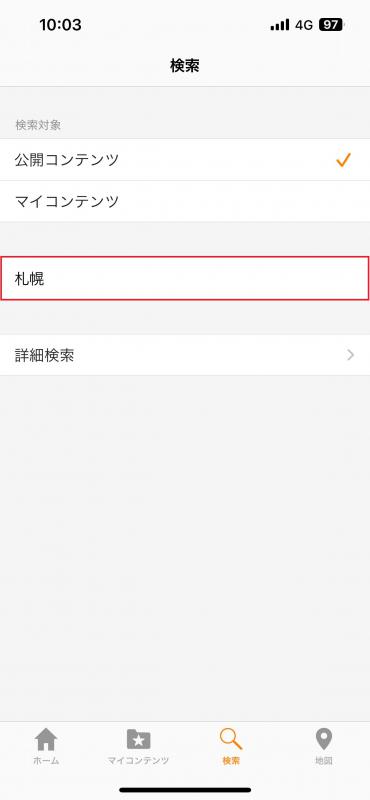
3.検索窓に「札幌」と入力する
Enter "Sapporo" in the search window.
4.見たいコンテンツをタップする
Tap the content you want to read.
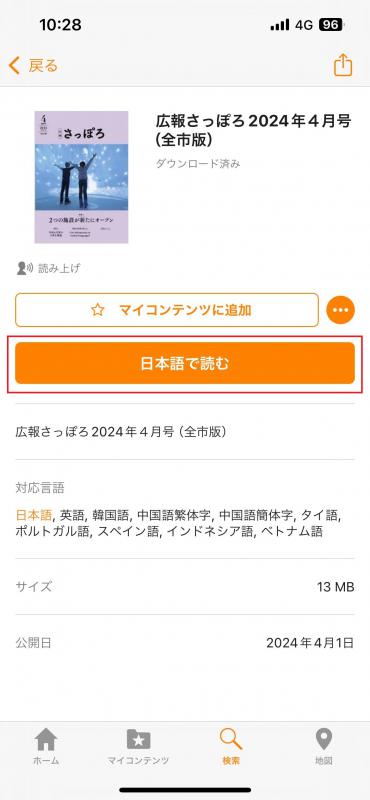
5.「日本語で読む」をタップするとコンテンツが開きます
Tap "Read in XXXX(Language)" to open the content.
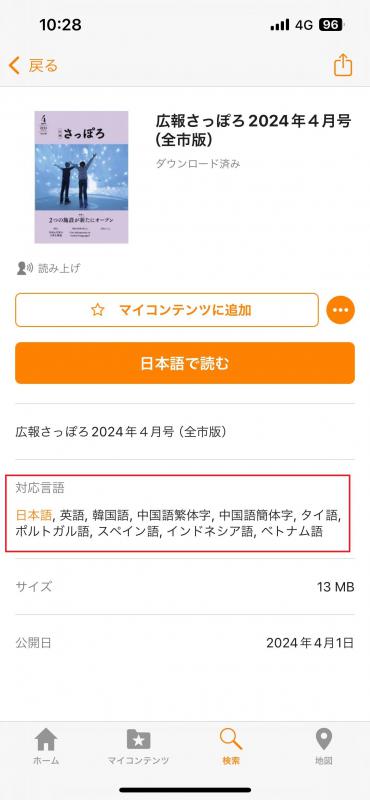
6.言語を変更するときは「対応言語」から言語を選択する
To change the language, select a language from "Supported languages".
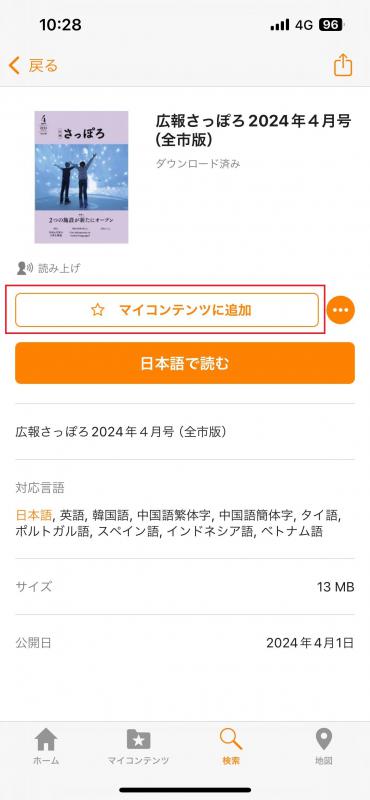
7.プッシュ通知設定をするときは「マイコンテンツに追加」をタップ(プッシュ通知はスマホのみ)
Tap ”Add to My Contents" when setting Push Notifications (Push Notifications are for smartphones only).